Screen Space Ambient Occlusion
info
Supported from version 7.1.0 and only on WebGl 2
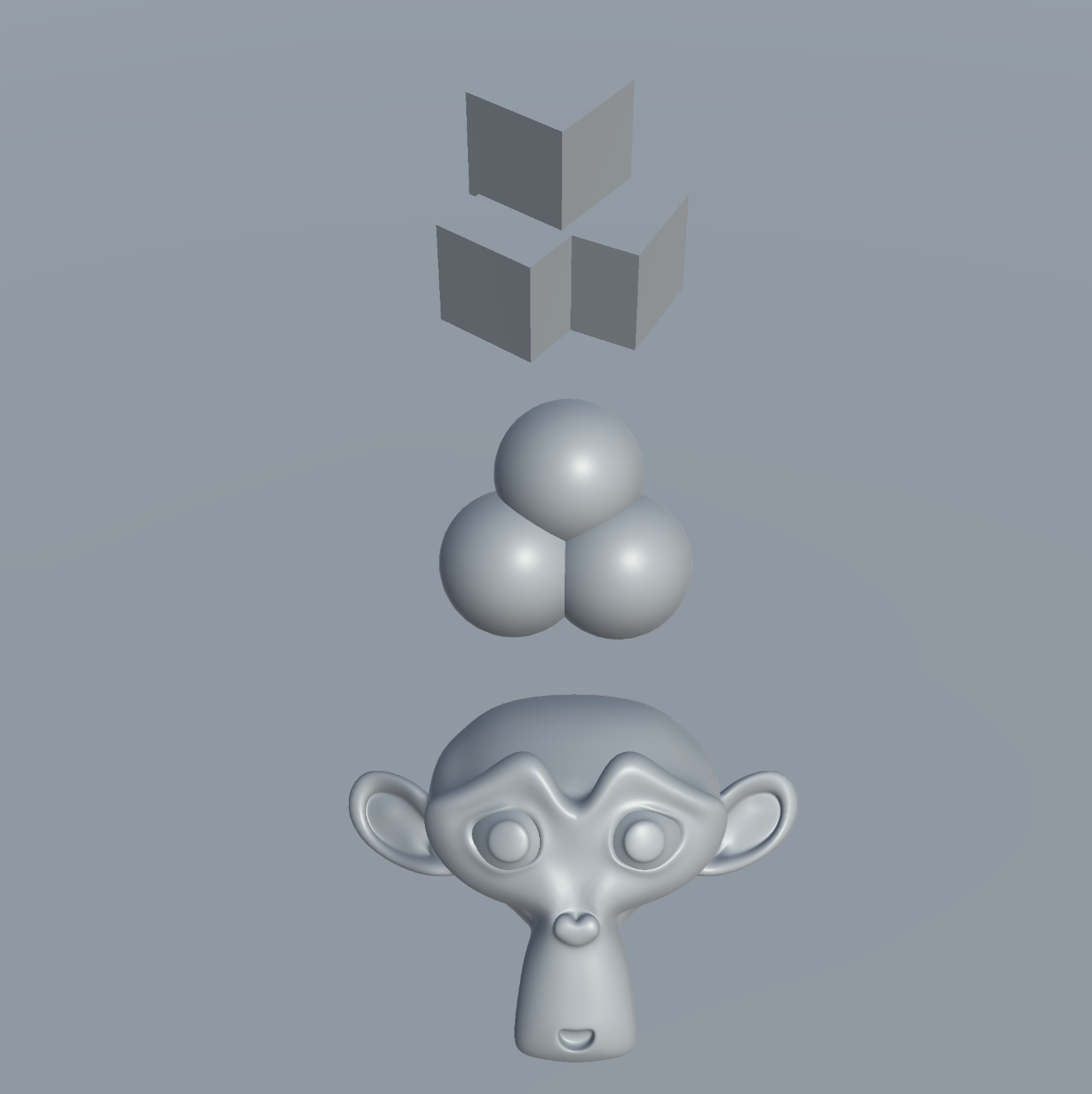
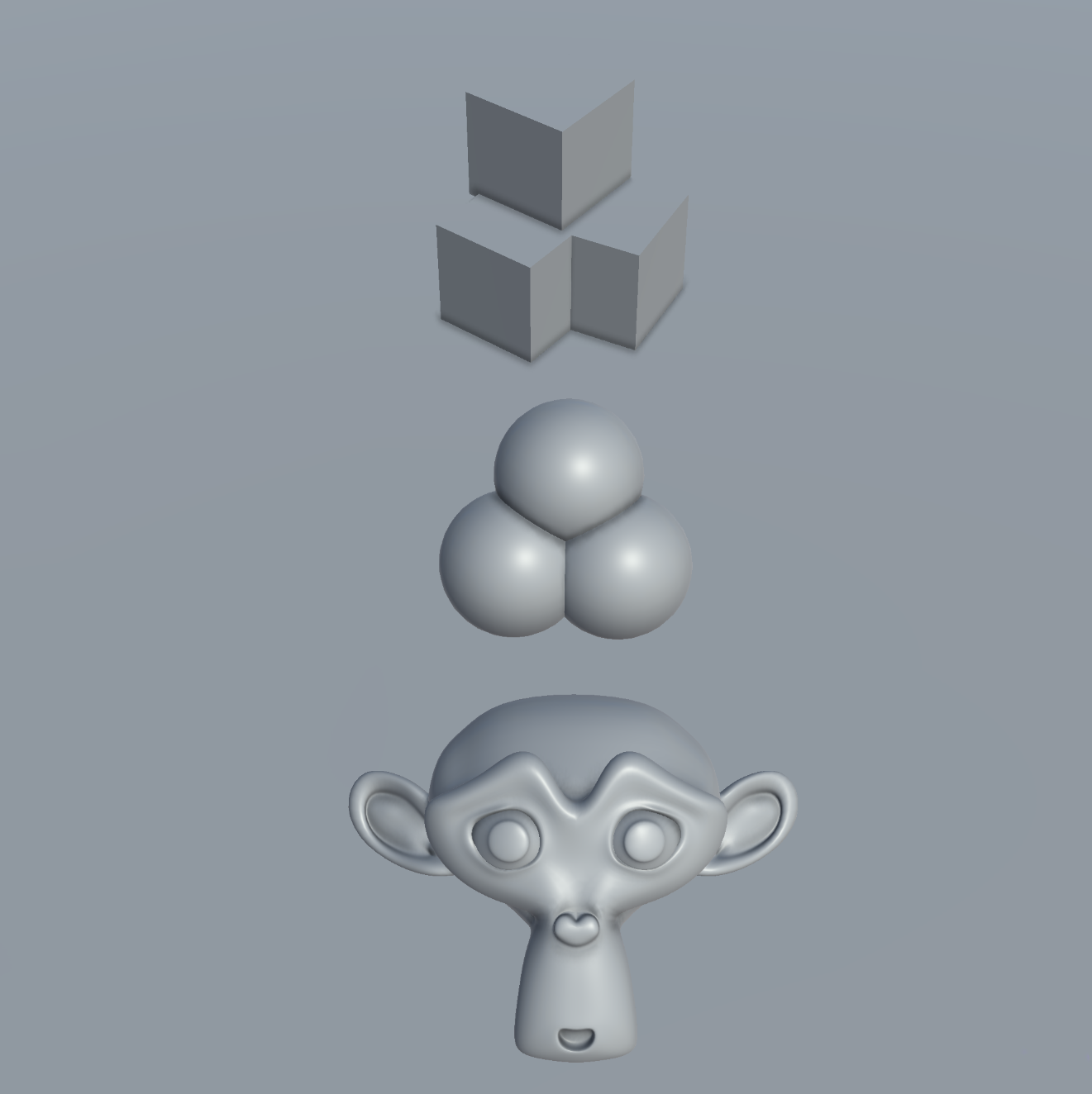
Screen Space Ambient Occlusion (SSAO) darkens the creases, corners, and recessed areas of a 3D scene where light is naturally occluded. It adds soft, localized shadows to small-scale details, such as the gaps between objects or folds in clothing, which helps define their spatial relationships.
- SSAO OFF
- SSAO ON
Configuration
caution
SSAO in Playworks Plugin is independent effect from Unity SSAO Render Feature, which is not supported in Playworks Plugin
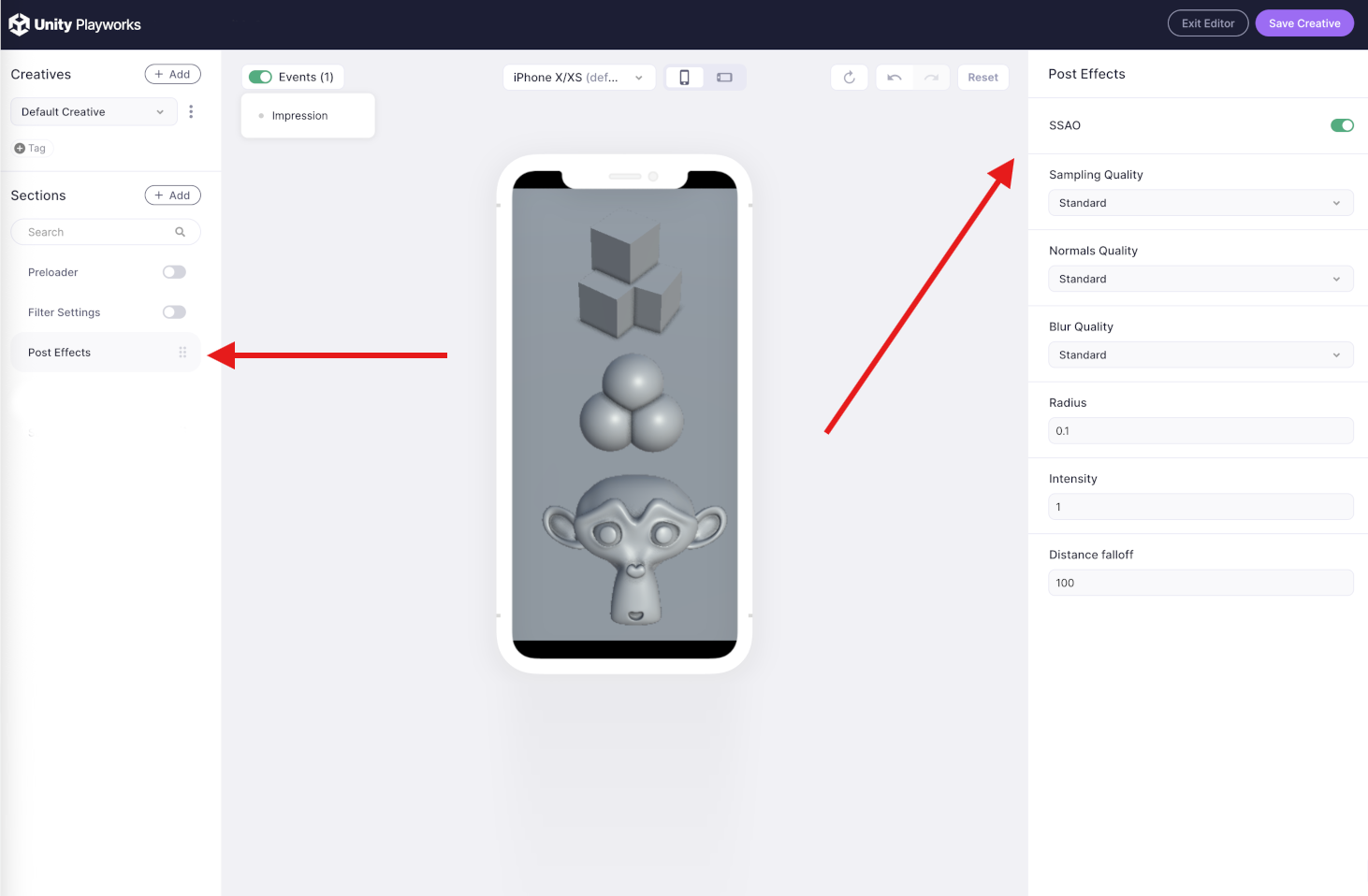
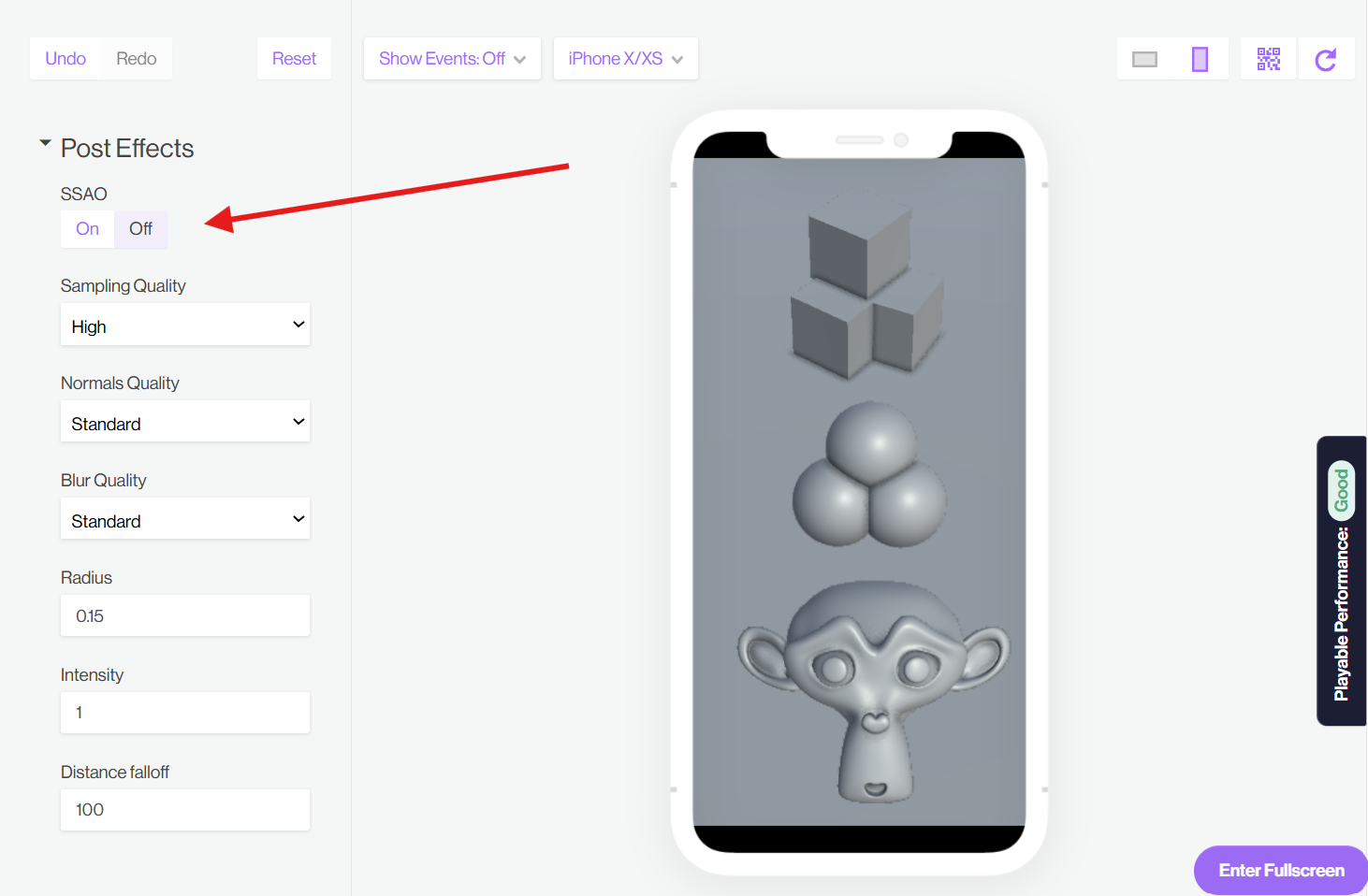
The SSAO settings are located directly within the Development-Environment or Creative Editor on Unity Playworks.
- Playground
- Dev-Env
| Property | Value | Details |
|---|---|---|
| Sampling Quality | Low,Standard,High | Defines how many samples are checked for each pixel to calculate the occlusion. Higher options generally improve quality of shadows |
| Normals Quality | Standard,High | Defines quality of surfaces normal direction recalculation. High option is allowing to reduce artifacts on hard edges |
| Blur Quality | Standard,High | Defines the quality of the extra smoothing applied to the SSAO effect |
| Radius | Positive values. Suggested values around 0.1 | Defines the maximum distance the calculated shadows for SSAO can reach. Due to the sampling method, very high values might create incorrect or blurry results |
| Intensity | Positive values. Suggested values around 1 | Defines how dark/strong the shadows can be in the most occluded (shadowed) areas |
| Distance Falloff | Positive values. Suggested values is 3/4 of camera render distance | Defines the maximum distance from the camera after which the SSAO effect starts to disappear |
caution
SSAO settings are constant across all scenes included in the playable. These settings cannot be modified once the playable has been launched