Remote Debugging
Logs in platform builds
For platform builds logs arent displayed when dev tools are closed. This is done to prevent performance issues caused by excessive logging from user scripts. If you launch a playable with dev tools closed you will see the following message:

In order to see the logs, you have to open dev tools and reload the playable.
Remote debugging
A remote debugger is a helpful feature in situations when you dont have access to the logs - for example when youre launching your playable in a test tool installed on an Android / iOS device. Use the following step in order to activate the remote debugger:
- Download a platform build from Unity Playworks.
- Locate an
index.htmlfile and open it in a text editor. - Search for an
insertYourRemoteDebuggingTokenHere="", replace it withinsertYourRemoteDebuggingTokenHere="any-token-of-your-choise"and save the changes. - Open
https://console.re/your-tokenin browser, for example:https://console.re/any-token-of-your-choise - Launch the playable in test tool and observe the logs.

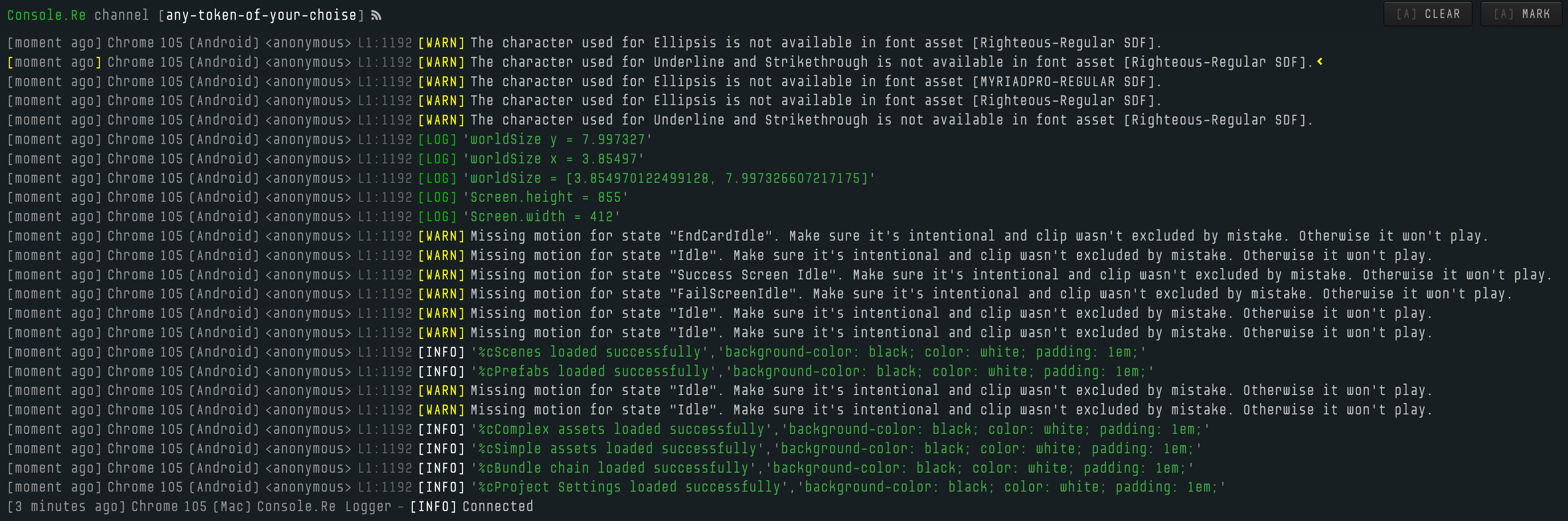
Please note that remote debugging only works when you open the build locally or via test tool on a physical device. This feature wont work on a web-based test tools, just open developer tools in your browser in order to inspect logs in such cases.